
App library · Sales
Orders, handled.
Every order from every channel, in one list you can act on.
What you get
What it does for you
Orders from your online store, the till and the phone land in one place. Mark them paid, fulfil them in full or in part, print the packing slip, and keep the invoice and the payment history on each order.
- See every order from every channel in one list, and search by order number or email.
- Enter an order by hand when a customer calls or messages you, with totals worked out for you.
- Fulfil part of an order, add a tracking link, and tell the customer.
- Get a warning on cash-on-delivery orders that look risky, and decide for yourself what to do.
- See abandoned online checkouts and send the shopper back to finish with the same items.
How it works
From switch-on to first result
A customer buys online or at the till, or you enter the order by hand.
Pick the items, mark them fulfilled, and add the tracking link.
Keep the invoice, the payments and any refund on the same order page.
See it
Inside the app
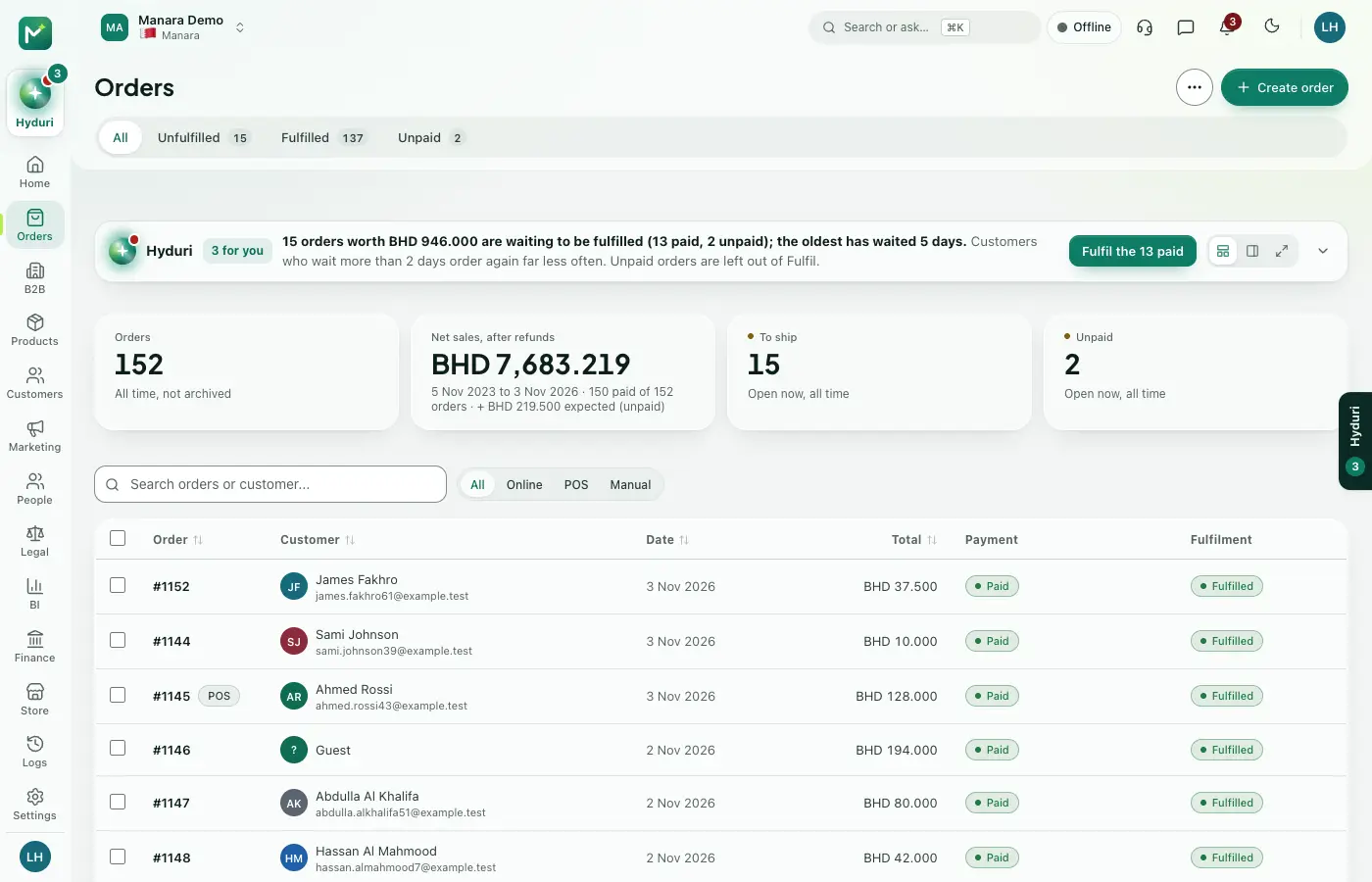 Orders
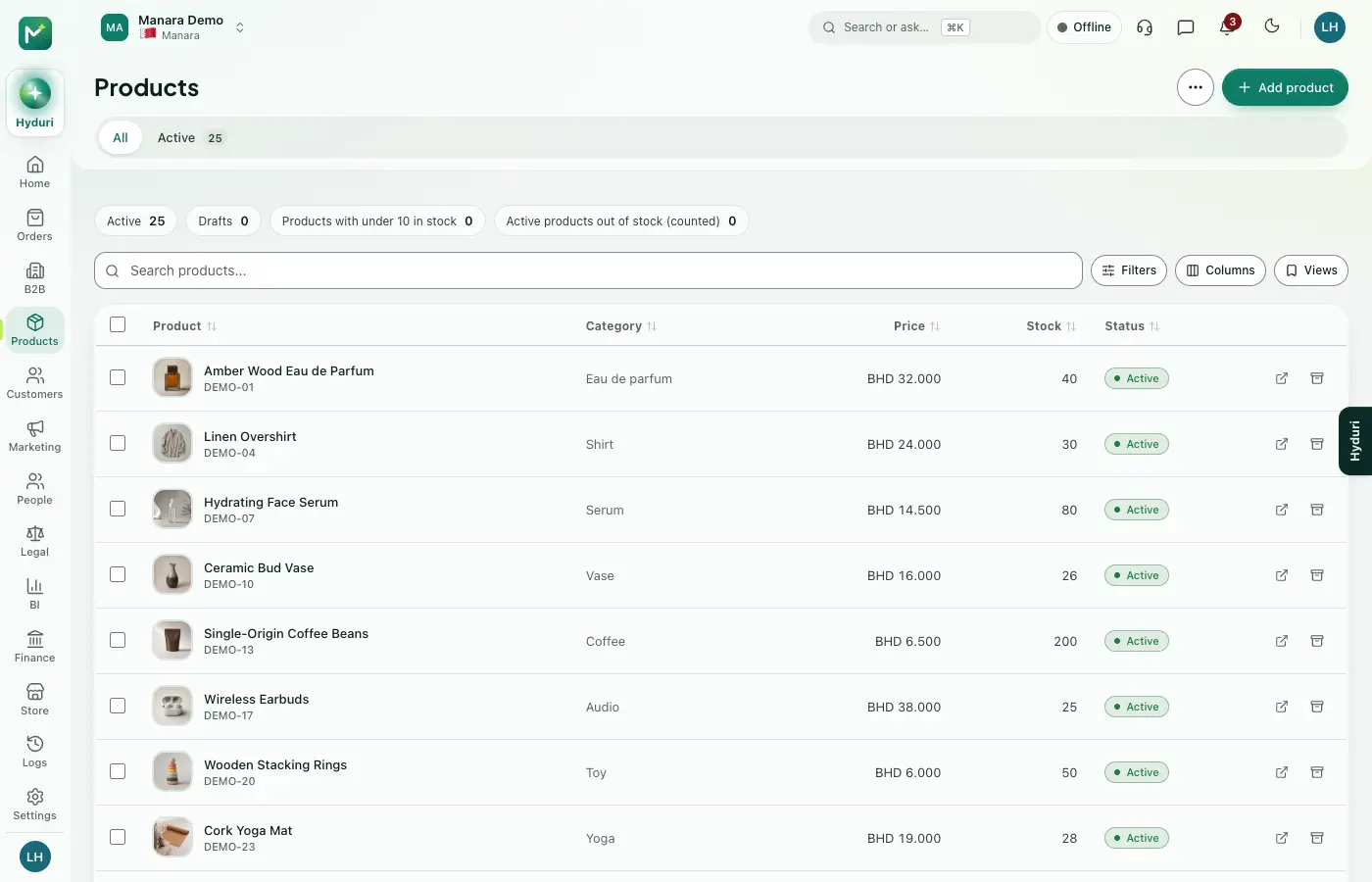 Products
Where it shows
Shows up everywhere you work
- Store admin
- The till
- Your website
- Your shop app
- Hyduri
- Reports
- Emails and messages
Needs
Made for
Who it fits
Every industry: it works for any kind of store.
Questions
Good questions
Do I need Products first?
Yes, orders are made of your products, so Products is part of the setup.
Where do orders show?
In the admin, at the till, on the shopper's order page, in the mobile app, in reports and in the emails the customer receives.
Does the system cancel risky orders by itself?
No. It shows a warning and explains why, and a person decides.
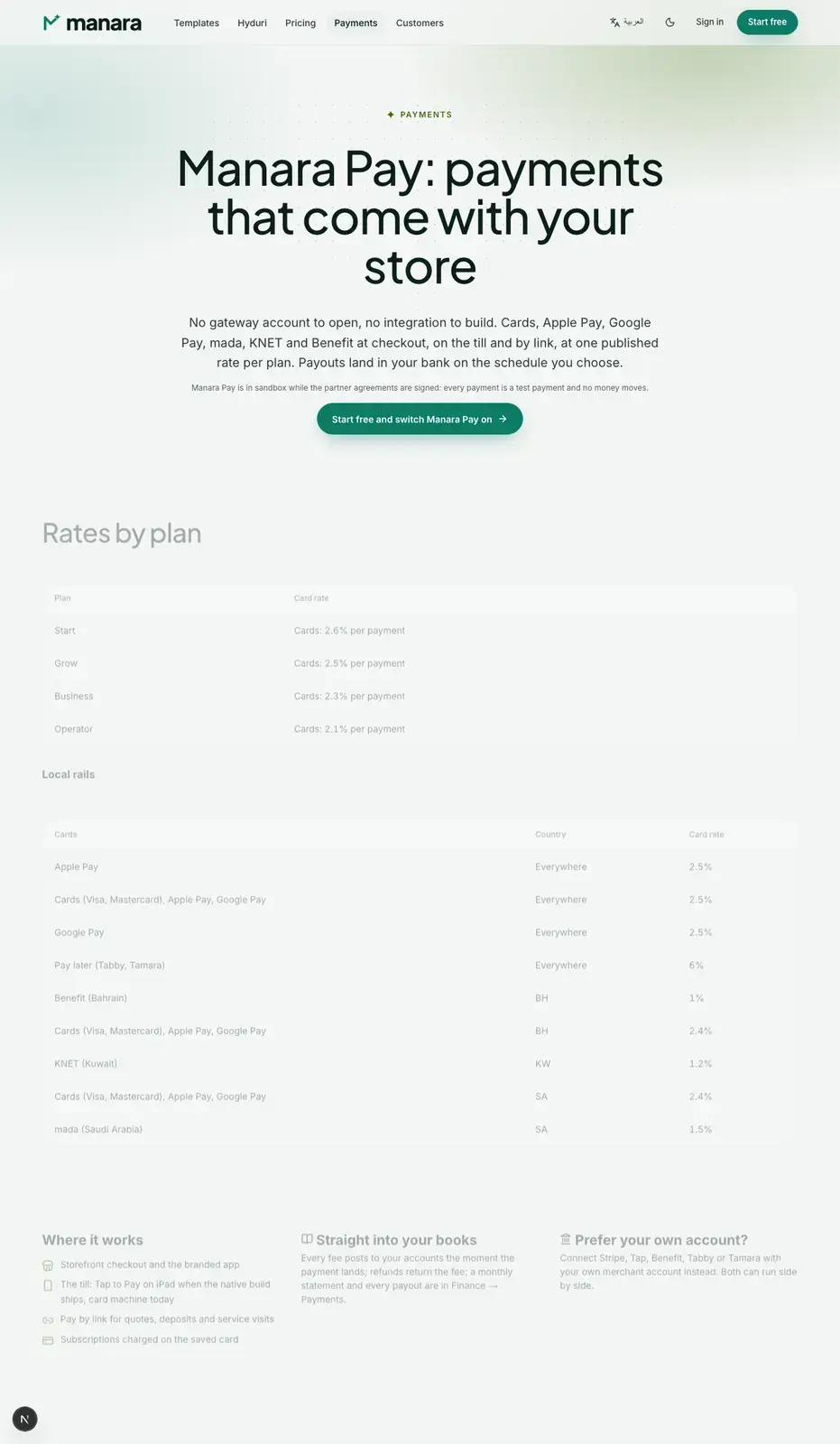 Payments
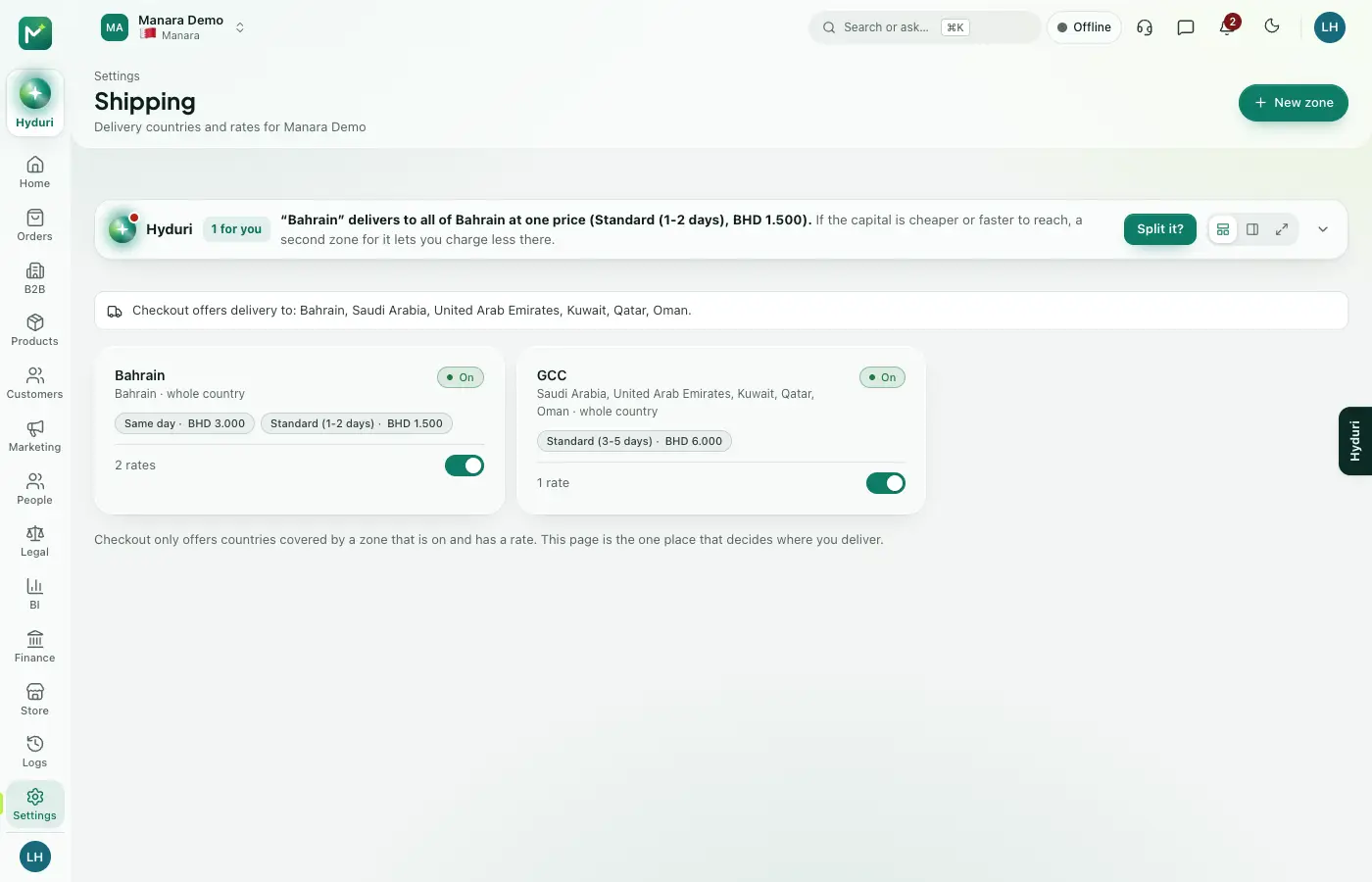 Shipping & delivery
 Returns

Switch it on in minutes. Keep your data.
NextAll appsSwitch on only what your business runs on. Every app shares the same customers, products and orders, so nothing is typed twice.